PathfolioApp
A student’s placement journey, brought together.
I built most of the student portal and the JD-to-student matching workflow for a placement platform dedicated to KIIT University, with profile-driven resumes, application snapshots, and evidence-based AI matching.
My contribution
Student portal development and JD-to-student matching
Actively developing
One journey, too many platforms.
College placements often mean moving between Superset, Telegram, WhatsApp, Zoom, and separate resume tools. Profiles, opportunities, applications, and updates end up spread across different places.
PathfolioApp is built specifically for KIIT University, bringing its placement and career-development journey together for students, placement administrators, and recruiters. Access is restricted to @kiit.ac.in email addresses.
Beyond my own job hunt.
JobAssistAI started with my own job-hunting frustrations: repeated forms, scattered applications, and too many resume versions. With PathfolioApp, I explored a broader question: how could a college bring students’ profiles, achievements, and placement workflows together?
JobAssistAI is an individual job-search workspace without an institutional email restriction. PathfolioApp connects the wider student journey with the placement team’s work, from projects and milestones to campus opportunities and application review.
My part: the student experience.
I built the student portal almost entirely: the dashboard, detailed profile, placement portal, resume workflows, shareable profiles, and Story Mode. I also built JD-to-student matching within the administrative recruitment workflow.
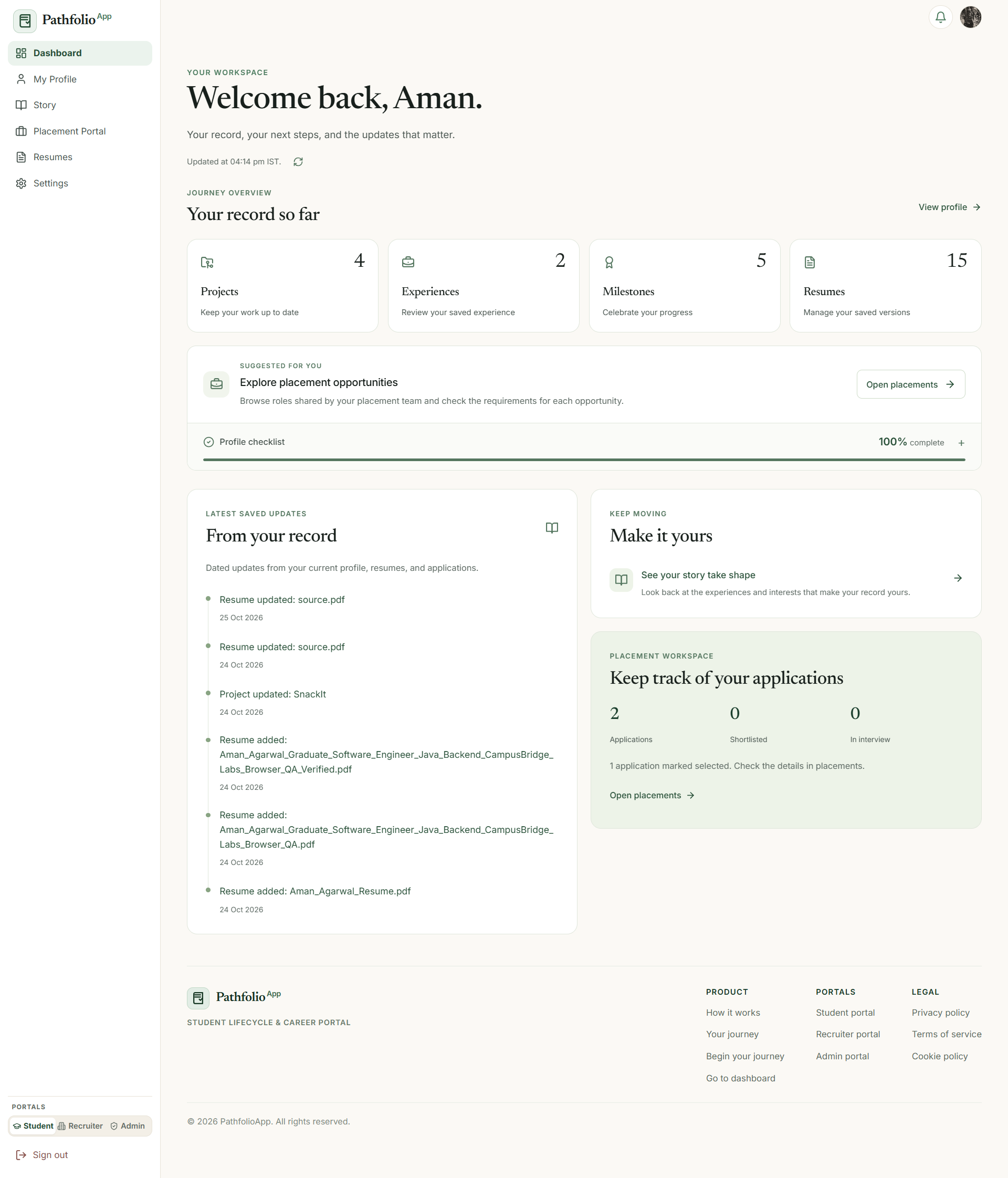
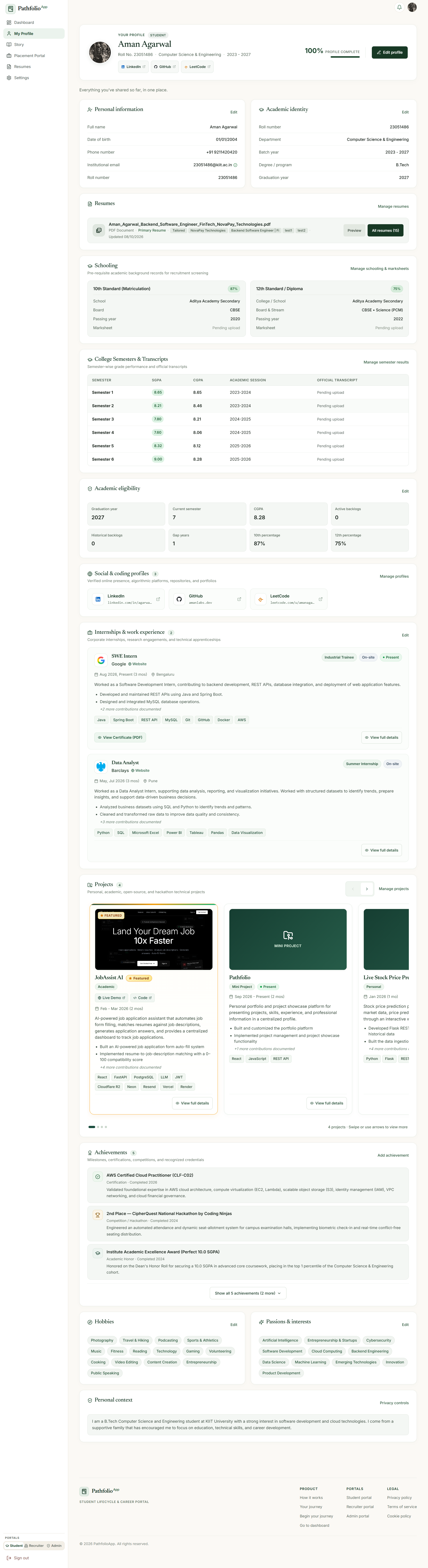
The dashboard brings together profile completeness, progress indicators, milestones, quick actions, resumes, and placement updates. The profile captures academic history, skills, projects, experience, certifications, achievements, activities, and professional links.
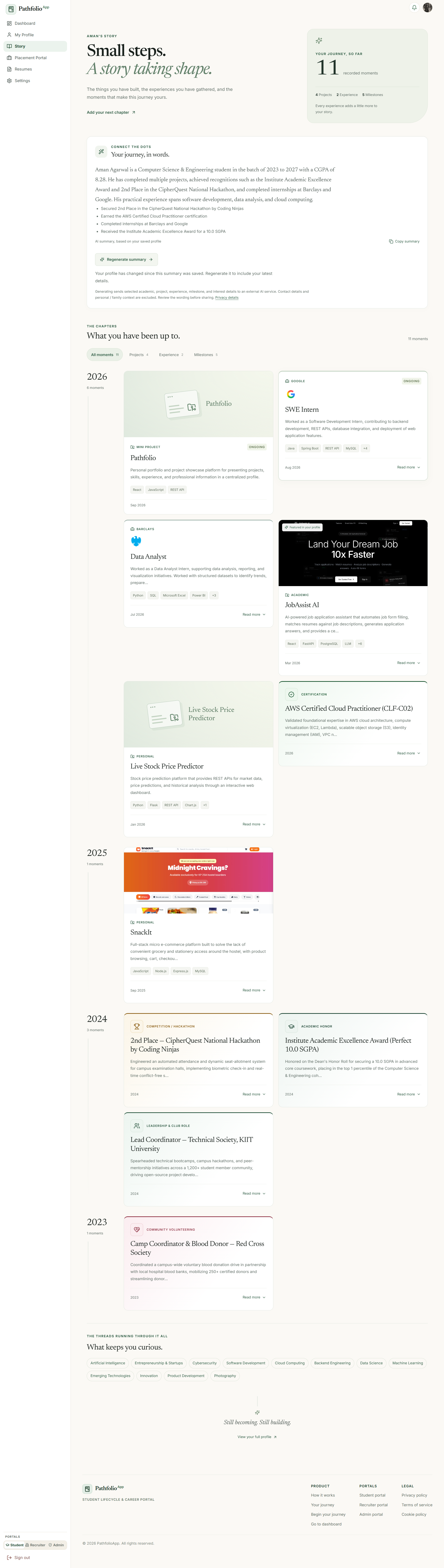
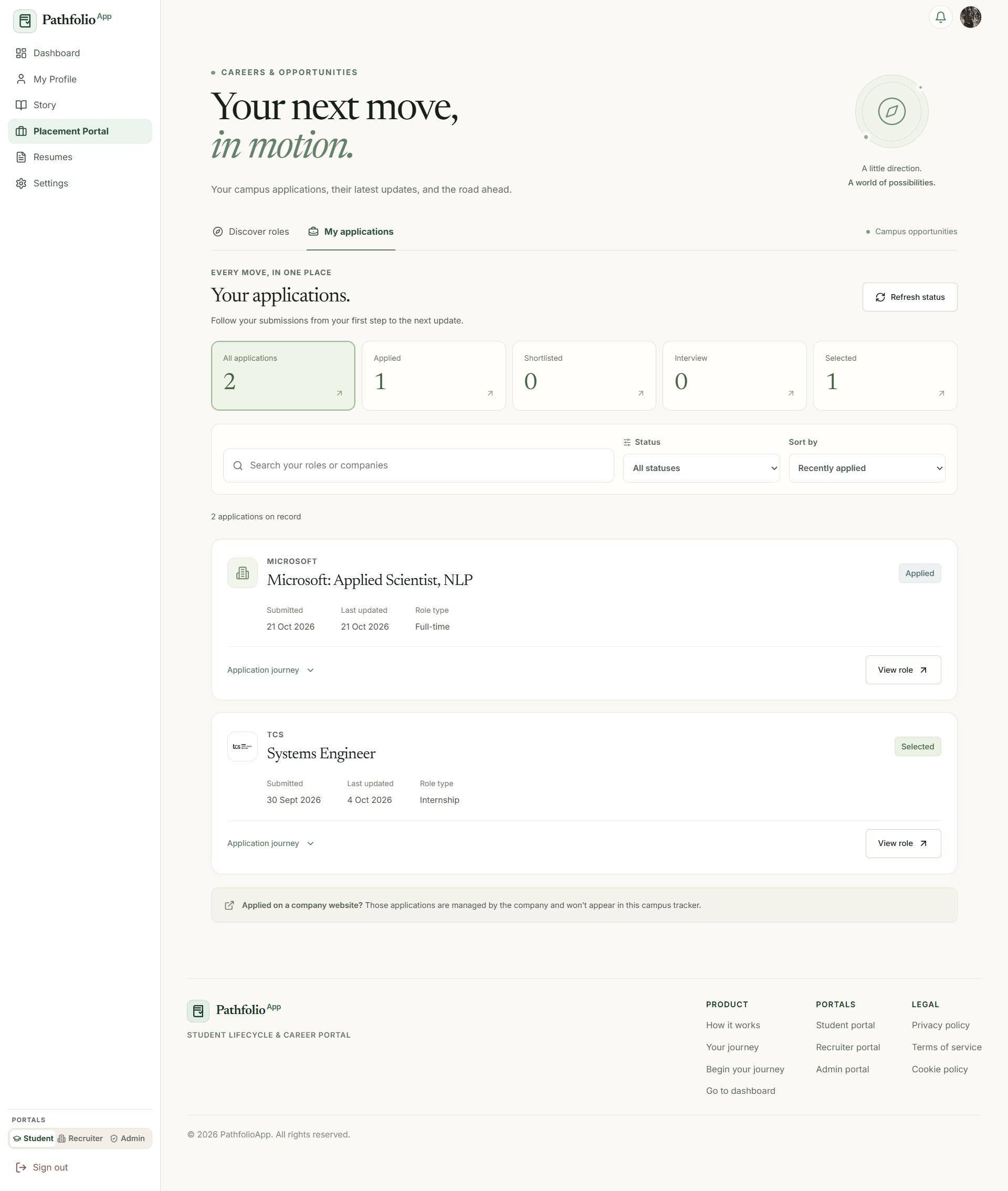
Students can browse opportunities, review eligibility criteria, apply, and track application status. Story Mode provides a chronological view of their projects, internships, achievements, interests, and milestones.
Keep the application as it was submitted.
A student’s profile keeps changing. An application needs to preserve what the student actually submitted at that moment.
I built an application snapshot workflow that captures the profile and relevant application data when the student applies. Administrators and recruiters can review that snapshot even after the student updates their profile.
Resumes that stay connected to the profile.
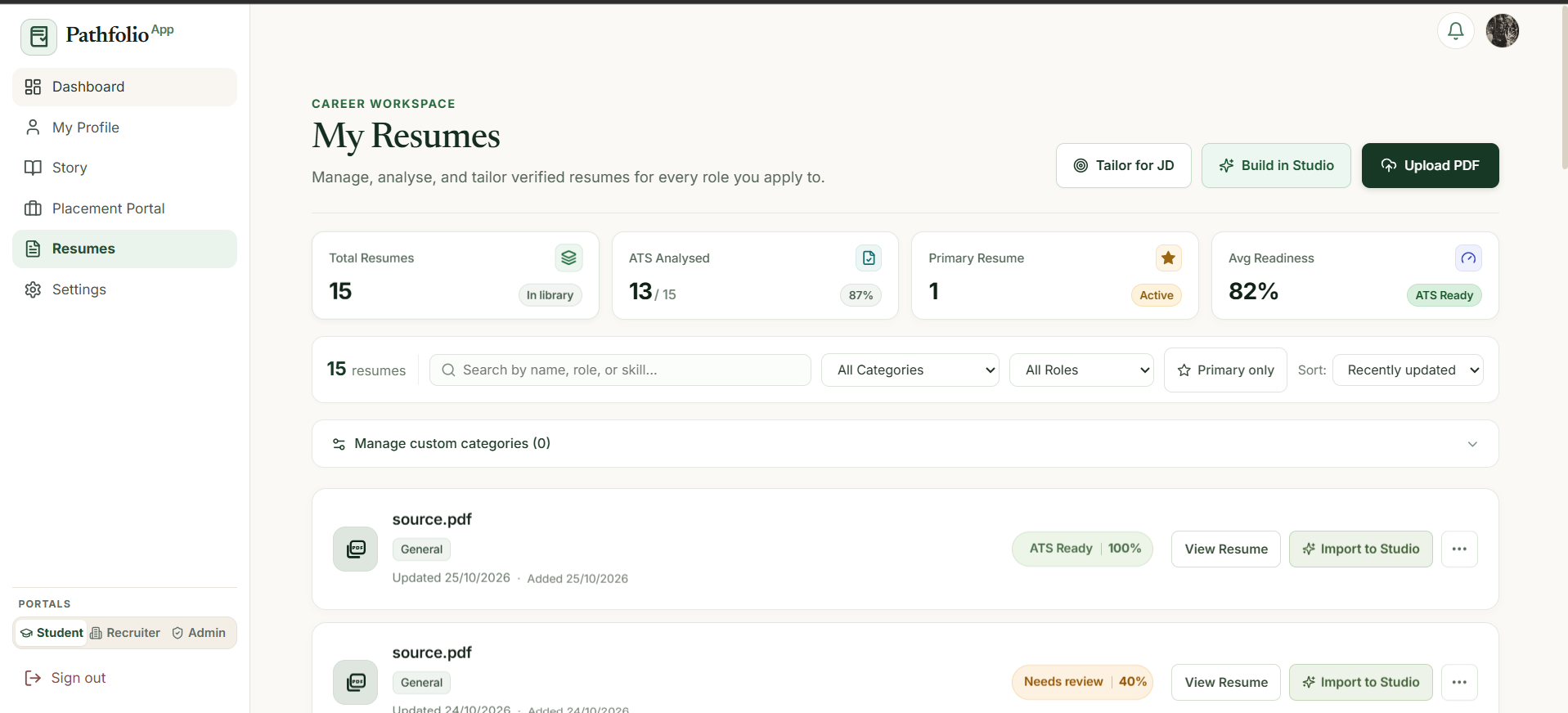
The resume system supports uploading and storing multiple resumes, previewing and downloading files, role-specific versions, resume generation from profile data, and shareable resume links.
I also built ATS-oriented parsing and analysis to assess how structured and readable resume content is, plus a job-description tailoring workflow. It compares the profile and resume with the role, identifies matched and missing skills, suggests improvements, and generates a resume tailored to the available evidence.
The difficult part: keep the AI grounded.
Early versions of the resume AI engine invented skills and generated content that wasn’t supported by the student’s background. Making the output sound convincing wasn’t enough; it needed to stay faithful to the data.
I added layers of validation, structured data processing, unit tests, repeated testing, and fallback behavior. Profile data and supporting evidence became the source of truth for generation and tailoring, with checks aimed at reducing unsupported claims.
Match the role to evidence, not just tags.
For placement administrators, I built a workflow that accepts a job description and returns a ranked list of students based on relevant profile evidence.
The matching considers projects, internships, certificates, resumes, and other demonstrated work instead of relying only on manually entered skill tags. The aim is to help placement teams identify suitable candidates earlier and reduce manual filtering.
Still on the workbench.
PathfolioApp is actively being developed for KIIT University’s placement environment. The student, resume, placement, and administrative matching workflows are implemented and continuing to evolve.
See the product screenshots